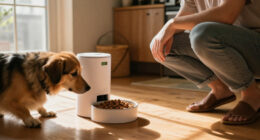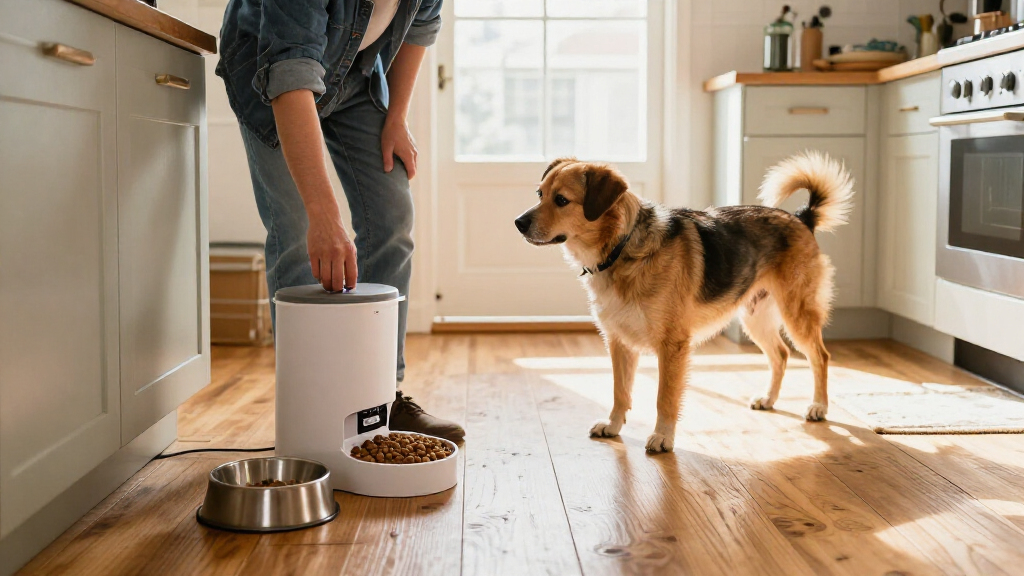
Set up an automatic dog feeder with a timer to dispense measured portions at scheduled times. This guide is for dog owners who can follow basic device instructions and want to check the schedule and portions before relying on the feeder. Allow 30-60 minutes for setup, then observe several scheduled cycles.

Yakry Automatic Dog Feeder Large Breed: 12L/50 Cup Capacity
- ✔ Capacity: 12L / 50 cups
- ✔ Schedule: 1–15 meals per day
- ✔ Portions: 1–20 portions per meal

Nityers Automatic Dog Feeder, 8L/34 Cups
- ✔ Capacity: 8L / 34 cups
- ✔ Schedule: Up to 6 meals per day
- ✔ Portions: 1–50 portions per meal; approximately 1/16 cup each

ANDOLL HOME Automatic Cat Feeder, 4L Timed Cat & Dog Dry Food Dispenser
- ✔ Capacity: 4L
- ✔ Schedule: Up to 8 meals daily
- ✔ Voice prompt: 10-second recording, played 3 times at feeding
Difficulty: Beginner | Time: 30-60 minutes, plus several scheduled feeding cycles for testing
What You’ll Need
Tools & Materials:
- Automatic dog feeder with a timer
- The feeder’s user manual
- Your dog’s usual dry food, if the feeder is designed for kibble
- Measuring cup or kitchen scale
- Fresh batteries or the feeder’s power adapter
- A clean, level feeding area
Knowledge:
- Your dog’s usual daily food amount and feeding times
- Whether your feeder supports your dog’s food type and kibble size
Use the food amount recommended for your dog by your veterinarian or food packaging, adjusted for your dog’s needs. Feeder portion labels may not match standard measuring cups. A timer feeder does not replace supervision, fresh water, or veterinary advice. Many timed feeders are designed for dry food; check the manual before adding wet, raw, or unusually large food.
Yakry Automatic Dog Feeder Large Breed: 12L/50 Cup Capacity
The Yakry 12L feeder takes the top spot because it pairs a large stated food capacity with a timer you can manage remotely. Its app supports 1–15 meals per day and 1–20 portions per meal, while the camera and two-way audio let us check whether a meal was dispensed and see the bowl. That combination is more useful for owners who want schedule flexibility and visibility than either non-Wi-Fi option can provide.Large kibble is another point of difference: the description says this model handles dry pieces up to 20 mm, slightly larger than the Nityers’ stated 18 mm limit. The 12L capacity is appealing for large-breed households, although actual time between refills depends on how much the dog eats. We would still check the kibble shape and the app requirements before purchase.The tradeoff is complexity. App control and a camera depend on Wi-Fi and a working connected setup, which may be unnecessary if all we need is a local timer. The listing mentions battery power but does not specify the battery type or runtime in the supplied details. Compared with the Nityers, Yakry offers more oversight and capacity, but the Nityers has a simpler display-and-button approach. Choose Yakry when remote access and large kibble support matter; skip it if you want a basic feeder with no app or camera.
Pros:
- 12L stated capacity reduces refill frequency compared with the 8L Nityers and 4L ANDOLL HOME.
- App scheduling supports up to 15 meals daily and remote manual feeding.
- Stated support for kibble up to 20 mm suits larger dry-food pieces.
- 1080P camera, night vision, and two-way audio enable remote mealtime check-ins.
Cons:
- App and remote features depend on a compatible Wi-Fi connection and setup.
- The supplied details do not specify backup battery type or runtime.
- Larger capacity does not remove the need to check portion settings and food levels.
Best for: Owners of large dogs or multi-pet households who want app scheduling, camera check-ins, and support for larger dry kibble.
Not ideal for: People who prefer an offline, button-operated feeder or do not want to depend on Wi-Fi and an app for remote features.
Bottom line: For large dogs and owners who want remote control, the Yakry offers the most complete timer-focused package, provided a connected setup fits your home.
“For large dogs and owners who want remote control, the Yakry offers the most complete timer-focused package, provided a connected setup fits your home.”
Nityers Automatic Dog Feeder, 8L/34 Cups
The Nityers 8L feeder is the middle ground for buyers who want a substantial hopper and a programmable routine without app control. Its LCD screen schedules up to six meals a day, with 1–50 portions per meal; each portion is described as approximately 1/16 cup. That detail can help when planning smaller, repeated servings, though portion counts should be checked against your dog’s actual feeding needs.It stands apart from the Yakry by keeping control local: there is no Wi-Fi, and the screen and keys handle settings. Some owners will prefer that simplicity, while others will miss the Yakry’s remote adjustments and camera. The Nityers also has a stainless steel bowl and removable hopper components for cleaning, useful practical touches that are not specified for the ANDOLL HOME model.Its 8L capacity is smaller than Yakry’s 12L but twice the ANDOLL HOME’s stated 4L, so it can reduce refills without taking the largest capacity in this group. The main limits are the 18 mm kibble ceiling and lack of wet-food support. It runs from a Type-C adapter with 4 AA batteries as backup, but batteries are not included. Choose this model for a timer-centered, non-connected routine; large-kibble owners or people who need remote reassurance should compare it closely with Yakry.
Pros:
- 8L capacity sits between the Yakry and ANDOLL HOME models.
- Schedules up to six meals daily with 1–50 portions per meal.
- Stainless steel bowl and removable food-contact components support cleaning.
- Type-C power with 4 AA battery backup helps maintain feeding during an outage.
Cons:
- No Wi-Fi, app control, or camera for remote monitoring.
- Not suitable for kibble over 18 mm or wet food.
- Backup AA batteries are not included.
Best for: Owners who want a sizeable dry-food hopper, local LCD scheduling, frequent small meals, and battery backup without app features.
Not ideal for: Owners who need remote schedule changes, camera monitoring, wet-food dispensing, or kibble larger than 18 mm.
Bottom line: The Nityers is a practical pick for a local, high-capacity timer routine, but it gives up the Yakry’s remote control and large-kibble allowance.
“The Nityers is a practical pick for a local, high-capacity timer routine, but it gives up the Yakry’s remote control and large-kibble allowance.”
ANDOLL HOME Automatic Cat Feeder, 4L Timed Cat & Dog Dry Food Dispenser
For a smaller household or a first timed-feeder setup, the ANDOLL HOME 4L keeps the core idea simple: set meals locally and let the dispenser handle the routine. It supports up to eight meals daily, more than the Nityers’ six, and includes power-off memory. A ten-second voice recording plays three times at feeding, which may help make the meal cue familiar for a dog who responds to a household voice.The listing emphasizes a swinging food mechanism intended to keep kibble moving, plus a tilted bowl and a desiccant compartment. These are useful design intentions, but the product information does not state a kibble-size limit, so we would verify compatibility before relying on it for unusually large pieces. Its 4L hopper is the smallest here: compared with the Nityers and Yakry, it means more frequent checks and refills, especially for a larger dog.Power comes from a 5V DC adapter, with three AA alkaline batteries as backup; batteries are not included. The supplied details do not describe a camera or remote app, so this model suits owners who want a local timer and voice prompt more than remote oversight. Its higher meal count is useful for dividing a daily ration into more feedings, but it does not compensate for limited capacity if the dog eats large portions. Choose it for a compact, uncomplicated routine; consider the Nityers if refill intervals matter more.
Pros:
- Schedules up to eight meals per day, the highest stated daily meal count in this lineup.
- Power-off memory and battery backup support continuity through an outage.
- Ten-second voice recording plays three times at feeding.
- Swinging food mechanism is designed to help kibble flow into the bowl.
Cons:
- 4L capacity is the smallest of the three, increasing refill frequency for bigger appetites.
- Kibble-size limit is not specified in the supplied product details.
- Three AA backup batteries are not included; no remote app or camera is listed.
Best for: First-time feeder owners and smaller dogs that benefit from several scheduled dry-food meals and a familiar recorded voice cue.
Not ideal for: Large dogs or households seeking fewer refills, remote app control, a camera, or documented compatibility with oversized kibble.
Bottom line: The ANDOLL HOME is a straightforward entry point for frequent scheduled meals, as long as its smaller hopper suits your dog’s appetite.
“The ANDOLL HOME is a straightforward entry point for frequent scheduled meals, as long as its smaller hopper suits your dog’s appetite.”
As an Amazon Associate we earn from qualifying purchases.
Before You Start
Read the manual for how to set the clock, program meals, change portion size, and handle power loss. Check whether the feeder uses a 12-hour or 24-hour clock and whether it follows daylight saving time automatically. Keep your dog’s regular feeding routine until you have tested the feeder. If your dog needs medication with food, has a condition that requires close meal monitoring, or may eat another pet’s food, ask your veterinarian about using a timed feeder.
Step-by-Step Instructions
Step 1: Choose a suitable feeder location
Place the feeder on a flat, stable surface where your dog can reach the bowl comfortably. Keep it away from direct sunlight, damp areas, heat sources, and places where a dog or another pet can knock it over. Leave enough space to remove the food container and clean the bowl.
Tip: If other pets can reach the feeder, choose a location or feeder design that limits access. A standard timer feeder may not prevent food theft.
Check: The feeder sits level, stays in place when the bowl is nudged, and is easy to reach for filling and cleaning.
Step 2: Prepare the feeder and food
Wash and dry removable food-contact parts as directed in the manual. Assemble the feeder, then add only the food type and kibble size the manufacturer permits. Keep food below the marked fill line so it can move through the dispenser.
Tip: Do not put wet or sticky food in a dry-food dispenser unless the manual specifically allows it. Moisture can spoil food or block the mechanism.
Check: The feeder is assembled correctly, its bowl and hopper are dry, and the food moves freely when you turn or gently shake the unit as directed.
Step 3: Connect power and set the clock
Install fresh batteries or connect the power adapter according to the manual. If the unit accepts both, use the recommended backup power setup. Set the current time carefully, checking AM and PM or the 24-hour display before saving.
Tip: A feeder that loses power may reset its clock or schedule. Check the manual for what happens during an outage and replace low batteries promptly.
Check: The display shows the correct current time and remains on after you finish setting it.
Step 4: Measure the daily food amount
Use your dog’s feeding plan to determine the total amount for the day, including treats or other meals as appropriate. Divide that amount among the planned feedings. Measure the amount in grams with a scale when possible; kibble volume varies by size and shape.
Tip: The portion setting may mean a dispenser unit rather than a cup. Use the manual’s portion chart, then verify the output by weighing a test serving.
Check: You have a written amount for each meal and know how that amount maps to the feeder’s portion setting.
Step 5: Program each meal time and portion
Follow the manual to enter each meal time and its portion. Check every entry before saving, especially AM or PM, the number of meals, and whether the device requires you to enable the schedule after programming. Avoid changing your dog’s total daily amount just to make the feeder settings easier.
Tip: Program a meal time a few minutes ahead for the first test, if the feeder permits it. This lets you watch a scheduled dispense without waiting for the next routine meal.
Check: The display or app shows the intended times and portions for every meal, and the schedule is marked active.
Step 6: Test a manual portion
Place a clean bowl or container under the outlet and use the manual feed function once. Weigh or measure the dispensed food, compare it with the planned serving, and adjust the portion setting if needed. Repeat the test after each adjustment.
Tip: Some feeders dispense unevenly when the hopper is nearly empty or packed full. Test with a typical amount of food in the hopper.
Check: The feeder releases food without jamming, and the measured amount is close to the intended serving.
Step 7: Observe a scheduled dispense
Keep your dog nearby but out of the way, then watch the feeder at a programmed meal time. Confirm that it opens or rotates as expected, drops food into the bowl, and returns to its normal state. Check the time and portion shown on the display or app afterward.
Tip: Do not leave the feeder as your dog’s sole food source until you have observed more than one scheduled cycle and confirmed that the clock and portions stay correct.
Check: A scheduled meal dispenses at the intended time and amount, with no jam, missed cycle, or unexpected extra serving.
Step 8: Introduce the feeder gradually
Let your dog inspect the feeder while it is switched off, then serve a normal meal from its bowl. Next, supervise a meal dispensed by the feeder while you remain present. Keep the familiar feeding routine and watch for fear, guarding, or attempts to chew the device.
Tip: If the motor noise frightens your dog, pair the sound with a small treat while supervising, and increase exposure gradually. Stop if your dog becomes distressed.
Check: Your dog can eat calmly from the feeder and does not try to tip, chew, or guard it in a way that creates risk.
Common Mistakes to Avoid
- Relying on the portion label without checking the actual amount. — Dispense a test serving into a container and weigh it. Repeat if the food type, hopper level, or portion setting changes.
- Setting the clock incorrectly or leaving the schedule inactive. — Confirm the displayed time and inspect each saved meal entry. Watch at least one scheduled dispense.
- Filling the feeder with food that sticks, is too large, or is not supported. — Check the manual’s food requirements and keep food below the fill line. Clear jams only as the manual directs.
- Leaving the dog alone with an untested feeder. — Observe several cycles first and check the food supply, bowl, and power before relying on it during an absence.
Troubleshooting
Problem: The feeder does not dispense at the scheduled time.
Solution:
Check that the schedule is enabled, the clock is correct, and the meal entry is saved for the intended day and time. Check the power source and battery status. Consult the manual for reset steps if settings were lost.
Problem: The feeder dispenses too much or too little food.
Solution:
Run a manual test and weigh the output. Adjust the portion setting in small increments, then test again. Check whether food is bridging in the hopper or the dispensing mechanism needs cleaning.
Problem: Food gets stuck or the motor runs without releasing food.
Solution:
Turn off or unplug the unit before clearing it, following the manual. Remove crumbs or unsuitable pieces, confirm the food is dry and within the approved size range, and avoid overfilling the hopper.
Problem: The dog avoids the feeder or tries to knock it over.
Solution:
Return to supervised meals and introduce the feeder gradually. Move it to a stable, quiet location and secure it only as the manufacturer permits. Stop using it if chewing or tipping could injure your dog.
What Success Looks Like
The clock and active schedule show the intended meal times, measured servings match the dog’s feeding plan, and the feeder completes several scheduled cycles without a jam or missed dispense. Your dog eats calmly, the feeder remains stable, and you can check the food supply and power status.
Next Steps
Check the hopper, bowl, and power status daily at first. Clean food-contact parts on the schedule in the manual and inspect the dispensing path for crumbs or buildup. Reweigh a serving after changing food or portion settings, and verify the clock after a power interruption. Keep a backup feeding plan for outages or feeder failure, and contact your veterinarian if you are unsure about meal amounts or timing.
Frequently Asked Questions
Can I use wet food in an automatic feeder with a timer?
Only if the feeder is designed for wet food and the manual explains how it keeps food safe. Many basic timer feeders are intended for dry kibble. Do not leave food in a feeder longer than its instructions permit.
How many meals should I schedule?
Use the number and timing that fit your dog’s feeding plan. Ask your veterinarian if your dog has a health condition or a specific meal schedule. Divide the recommended daily amount across those meals rather than increasing the total.
Can a timed feeder replace someone checking on my dog?
No. A feeder can fail, lose power, jam, or run out of food. Arrange appropriate care and check-ins when you are away, and provide fresh water at all times.
How do I know whether the feeder’s portion setting is accurate?
Run a manual dispense into a container and weigh the food. Compare it with the planned serving, then adjust and repeat until the amount is close. Recheck after changing kibble.